Email Security
Calendar Phishing Remediation: The Invite Moves With the Email
Native calendar controls let most malicious invites land. AegisAI treats the invite as part of the email, so quarantining the message removes the event too.

.png)
Two weeks ago we published a teardown of a Google Calendar phishing campaign that installs a remote monitoring agent. The question we have heard most since then, from customers and from security teams at the events we attended this month, is about cleanup: how to get a malicious invite off someone's calendar once it is already sitting there.
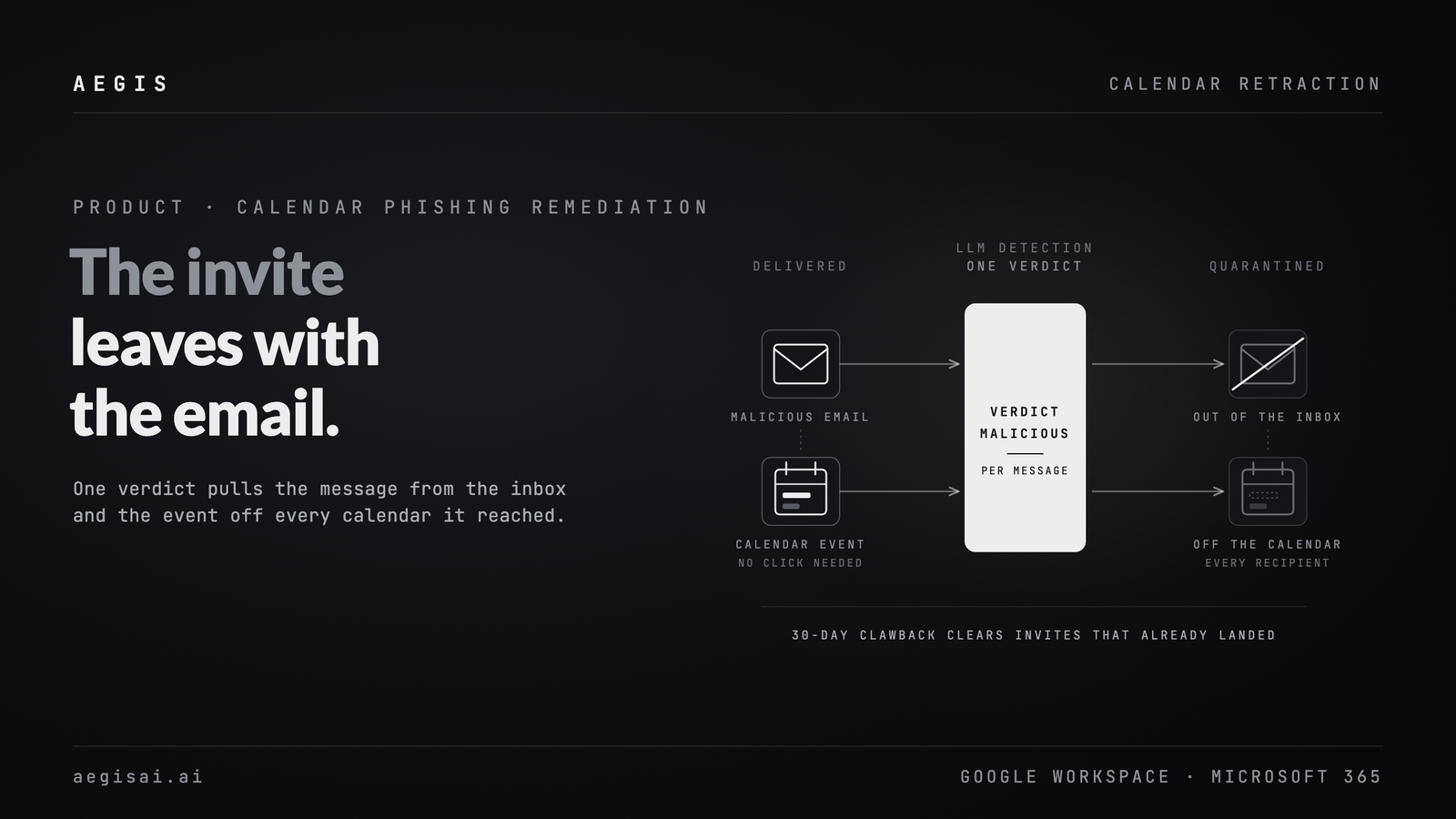
AegisAI treats the invite as part of the email that carried it. A malicious calendar invite is the same message, rendered as an event on the recipient's calendar. If the detection catches the message, it pulls the invite. Quarantine the email and the invite leaves with it.
Default calendar controls are not a reliable gate. In the campaigns AegisAI tracks, up to 80% of malicious invites still land on the calendar even when native controls are on.
The known senders setting does not fix this. These invites usually come from real compromised accounts with good reputation. The sender looks legitimate because the account is legitimate, and the calendar accepts the event because the platform is doing what it was designed to do: accept invites from people it already trusts.
So the invite reaches the calendar. The victim gets a fake meeting with a reminder that fires hours or days after the email that delivered it has scrolled out of view. The attacker gets a foothold that sits next to real work rather than buried in spam.
Tighten the tenant setting that auto-adds invitations so unknown senders no longer create events, then put detection in front of the calendar that can remove the events that get through anyway. The setting cuts volume, but it does not touch an invite that arrived from a known or compromised sender, and it does nothing about events already on the calendar.
Google Workspace and Microsoft 365 both expose tenant-level controls for how invitations are processed. Our earlier post walks through the Google Workspace setting and its limits.
Calendar invites ride the same email path as everything else. The same LLM detection that classifies the message classifies the invite it carries, with one policy covering both. When the verdict is malicious, the invite is handled as part of that message instead of becoming a separate calendar object you clean up later. The agents reason about the invite the way they reason about any other inbound email, comparing what the message claims with what it actually does.
Once the verdict is confirmed, AegisAI finds the auto-created event on each affected recipient's calendar and deletes it. That works on Google Workspace and Microsoft 365.
The decision is per message, so one confirmed malicious message means one set of recipients and one set of calendar deletes.
The delete is tied to the email action. When the email is quarantined, the invite is removed with it, so nothing lingers on the calendar after the message has been pulled from the inbox. The fake meeting is gone before the reminder fires and before anyone clicks into it.
When you turn on calendar retraction, AegisAI runs a retroactive sweep. Malicious invites that landed in the past 30 days get cleared off the calendar.
At onboarding that means the calendar starts clean, including the invites that native controls had already let through.
In the console, calendar retractions appear on the same view as the email. You can see when an invite was pulled without jumping to a separate calendar log to reconstruct what happened.
| Without invite and email coupling | With AegisAI |
|---|---|
| Native controls let most malicious invites land | Invites that got past native controls are removed after the verdict, on Google and Microsoft |
| Known sender trust is abused through compromised accounts | The verdict is on the message, not on the sender's reputation |
| Calendar cleanup is a separate ops chore | Deletion moves with the email quarantine |
| Old invites stay on calendars after you deploy | A 30-day clawback clears the backlog at onboarding |
| Email and calendar live in different UIs | Retractions show on the same console view as the email |
Not reliably. In the campaigns AegisAI tracks, up to 80% of malicious invites still land on the calendar despite those controls.
Because the invites usually come from real compromised accounts that already have good reputation with the recipient's platform.
After a confirmed verdict, it locates the auto-created event on each affected recipient's calendar and deletes it, on Google Workspace and Microsoft 365.
No. The decision is per message and per affected recipient.
The invite is deleted as part of the email quarantine. The two actions move together.
When calendar retraction is turned on, AegisAI sweeps the past 30 days and clears malicious invites that already landed.
In the same console view as the related email.
See calendar retraction run next to email quarantine, with the 30-day clawback, on your own Google Workspace or Microsoft 365 tenant. Book a demo.