Kali365: How a Device-Code Phishing Kit Defeated MFA Without Breaking It
A $250-a-month phishing kit turned a legitimate Microsoft sign-in feature into a way to steal Microsoft 365 access without a password, a credential form, or a single attacker-owned domain, then staged its own shutdown and kept running under a new name.
Written by
AegisAI Threat Intelligence
Published on
July 31, 2026
KEY JUDGMENTS
Kali365 is a mature subscription phishing-as-a-service (PhaaS) platform, not a one-off kit. For roughly $250 a month it sells a browser-based operator panel, a library of pre-built lure templates, a built-in webmail proxy, and a domain marketplace: the shape of commercial SaaS, not a traditional phishing toolkit.
Its signature technique does not bypass MFA. It uses MFA correctly. The victim completes genuine multi-factor authentication on Microsoft's real infrastructure; the one action that compromises the account is typing an eight digit alphanumeric code, not a password or an MFA prompt.
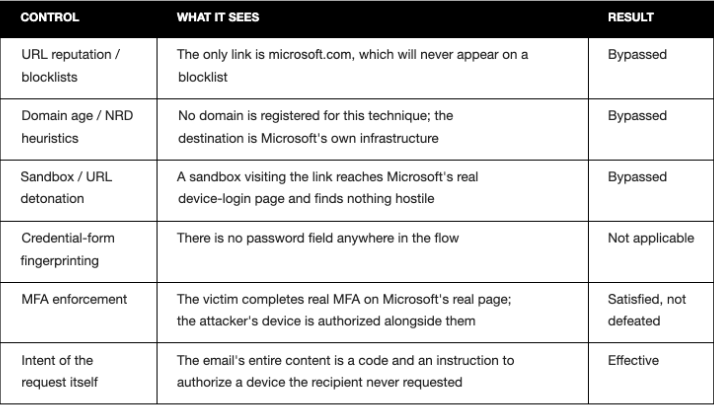
Because the lure carries no attacker-owned infrastructure, standard email defenses, including URL reputation, domain age, sandbox detonation, and credential-form fingerprinting, find nothing to flag. This is a structural gap, not an evasion trick.
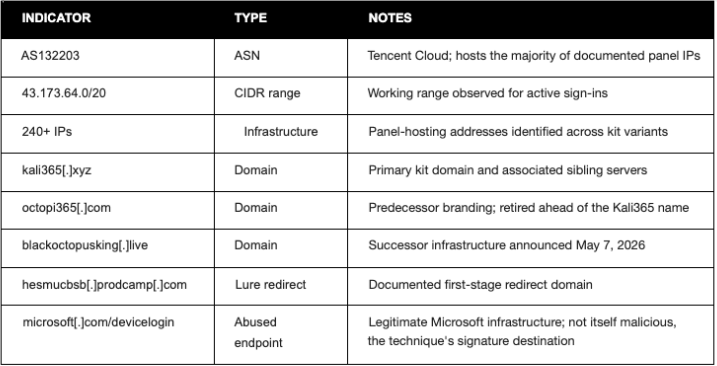
The kit's panel infrastructure spans more than 240 IP addresses, the majority hosted on Tencent Cloud (AS132203), with over 80 successful account logins recorded in a single day at the campaign's peak.
The kit's announced May 21 "shutdown," posted 13 seconds after its operators reposted the FBI's own advisory, was staged. Capture activity continued the same day under a rebrand its operators had queued up two weeks earlier; the infrastructure, payment wallets, and even the software's own version string never changed.
A legitimate feature, weaponized
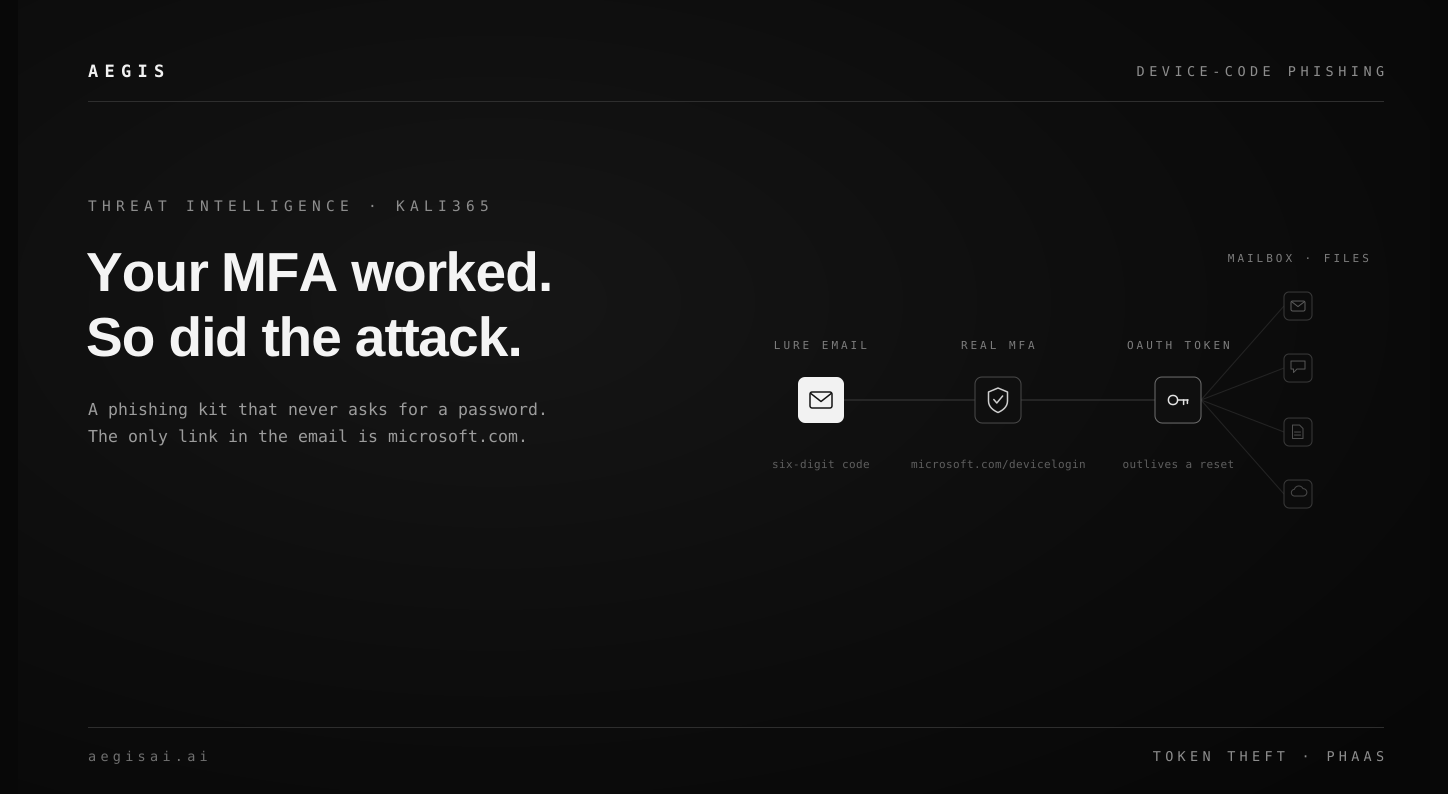
The lure email is styled as routine business correspondence: a document ready for signature, a file shared for review, a Teams meeting invite, or a generic "this message is encrypted, click to view" notice. It carries a short alphanumeric code and an instruction to visit microsoft.com/devicelogin to view the content.
That URL is not a decoy. It is Microsoft's real device-authorization endpoint, part of the OAuth 2.0 Device Authorization Grant flow, a legitimate mechanism built for signing into devices with no keyboard, like a smart TV or a CLI tool. A recipient who follows the instructions lands on Microsoft's
genuine sign-in page, authenticates with their own password, and completes their own MFA exactly as they would for any ordinary login. The single unusual step, entering the code from the email, is what authorizes the attacker's session rather than the recipient's own. From that point, the attacker holds a valid OAuth access token and a longer-lived refresh token scoped to Outlook, Teams, SharePoint, and OneDrive, obtained without ever seeing the victim's password or intercepting a live MFA code. The refresh token also survives a password reset, since revoking it requires explicitly pulling the device or application grant rather than rotating a credential.
Kali365 offers a second mode built on the same asymmetry: an adversary-in-the-middle reverse proxy that transparently forwards the victim's browser through attacker infrastructure to the real Microsoft login, capturing the resulting session cookie as it passes back through. That flow leaves crawlable infrastructure behind and is easier for defenders to fingerprint; device-code phishing does not, which is why it is the kit's primary technique.
Built like software, not like a phishing kit
Kali365's operator panel is a React/Vite single-page application with role-based access control, subscription billing, and a domain marketplace for buying lure infrastructure. Captured sessions land in a token vault, and a built-in webmail proxy lets an operator read a compromised mailbox
directly inside the panel without ever touching Outlook. The kit ships 33 pre-built lure templates and exposes over 160 documented API endpoints covering token management, lure creation, mailbox rule manipulation, and Exchange admin functions.
Lure traffic and panel infrastructure route through Cloudflare Workers behind custom domains, with Cloudflare Turnstile filtering automated scanners out before they ever reach a live lure. An optional residential geo-proxy add-on relays the victim's authenticated session through infrastructure in the victim's own country, so the resulting Microsoft sign-in log shows a plausible location instead of the operator's actual one.
Why standard controls have nothing to inspect
Every control built to catch phishing assumes the attacker eventually brings their own infrastructure into the chain: a lookalike domain, a credential-harvesting form, a hosting IP with a bad reputation. Device-code phishing brings none of it.
How Aegis AI protects against it
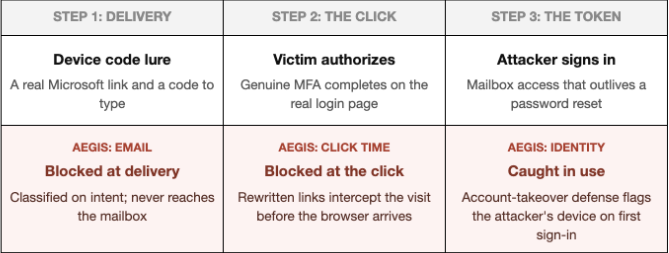
Aegis does not classify infrastructure. It classifies intent. A lure with no attacker-owned infrastructure still has to ask the recipient to do something on the attacker's behalf, and that request is what gets classified, independent of how clean the destination URL is.
Nothing in Steps 2 or 3 looks wrong to Microsoft: the login is real, the MFA is real, the token grant is authorized. Aegis holds all three points independently
The two Kali365 flows need different tools to catch. A model trained to read intent in an email is not built to drive a browser through a redirect chain, and it cannot see an attacker signing in with a token that was granted legitimately. A sandbox agent that opens links and follows the redirects the way a victim would is what exposes the kit's adversary-in-the-middle mode, the one that leaves crawlable infrastructure behind. Aegis runs these as separate specialists and correlates the results, so the attack has to survive all of them rather than the weakest one.
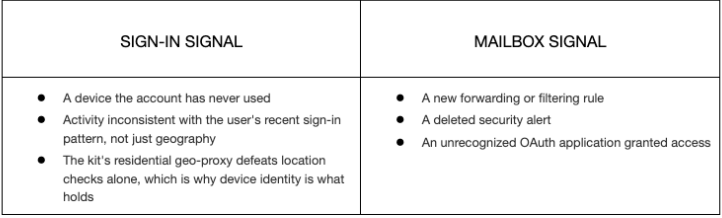
Once a token is stolen, the defense moves to the account, correlating two signal families rather than trusting either alone:
When a lure or a compromised session is caught, the response compounds: the message is withheld at classification, copies already delivered are retracted, rewritten links refuse a late visit, the account's outbound and internal mail gets rescanned, and lateral phishing attempts to colleagues are blocked at the same bar rather than treated as a fresh, unrelated message.
The staged shutdown
Kali365's rebrand history reads less like an operator going dark than like a brand rotating on schedule:
May 7, 2026 Operators notify customers of a move to blackoctopusking.live, citing a desire for "more anonymous infrastructure."
May 12–14 A customer references the tool as "greenoctopus"; the kit's own source code version string updates from Kali365 Live to Green Octopus 3.1.0.
May 21 The FBI publishes advisory I-052126-PSA naming Kali365. Operators repost it, then, 13 seconds later, announce the kit's retirement.
Same day → Capture activity continues without interruption. Only the Kali365 brand goes quiet.
What didn't change: the infrastructure stayed identical across the rebrand: the same operators, accounts, lures, and payment wallets, and even the same literal HTTP user-agent string (kali365-live/1.0.0) baked into the panel software. The name changed; the thing doing the attacking did not.
The pattern matters beyond this one kit. Device-code phishing is a property of how OAuth device authorization works, not of any single operator's infrastructure. It is portable to whichever brand picks it up next: Kali365, Octopi365, Green/Black Octopus, or a name that doesn't exist yet.
Infrastructure and Attribution
The FBI’s IC3 publicly attributes this technique to a kit tracked as Kali365 (I-052126-PSA, May 21, 2026). Device-code authentication activity from Tencent Cloud IP space in AS132203 began May 18, 2026, and the kit's panel infrastructure ultimately spans more than 240 IP addresses across multiple variants, the majority on Tencent Cloud, with a working range of 43.173.64.0/20. Live lure-redirect infrastructure includes the domain hesmucbsb.prodcamp.com, consistent with the kit's pattern of randomly generated subdomains layered on rented hosting.
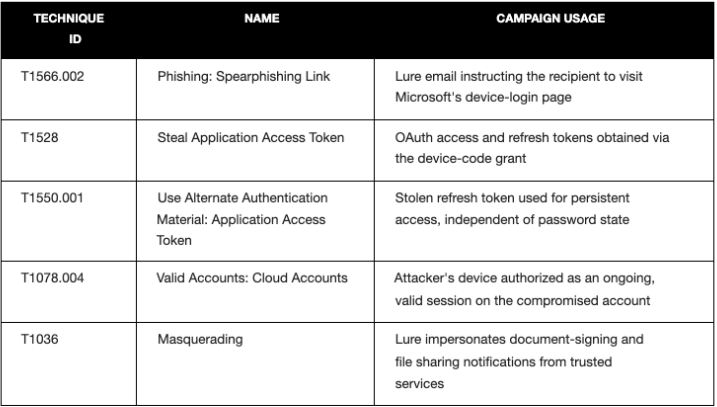
MITRE ATT&CK Mapping
Recommendations for Defenders
Restrict device-code flow. Most workforces have no legitimate need for it. A Conditional Access policy in Microsoft Entra ID that blocks device-code authentication for all users, with a narrow exception for documented emergency-access accounts, removes the technique from an environment outright, the FBI's own recommended mitigation.
Audit existing device-code grants. Review recent device-code sign-ins and OAuth application consents for anything unrecognized, and revoke the specific token grant rather than relying on a password reset, which does not affect an already-issued refresh token.
Train on the request, not the destination. The tell is being asked to authorize a device or enter a code for something the recipient never initiated, regardless of how legitimate the resulting page looks. "Check the URL" guidance does not apply; the URL is real.
Correlate signals instead of scoring messages individually. A single device-code email carries no domain, attachment, or credential form for a per-message rule to flag on. The signal is the pattern: an unrequested authorization prompt from a sender the recipient has no reason to expect it from.
Indicators of Compromise (IoCs)
Per FBI’s IC3 advisory I-052126-PSA. Infrastructure churns quickly on this kit; treat it as historical rather than a live blocklist.
Don’t Miss the Next Big Threat
Subscribe today to receive updates on the newest cyberattacks, product innovations, and best practices for protecting your organization.
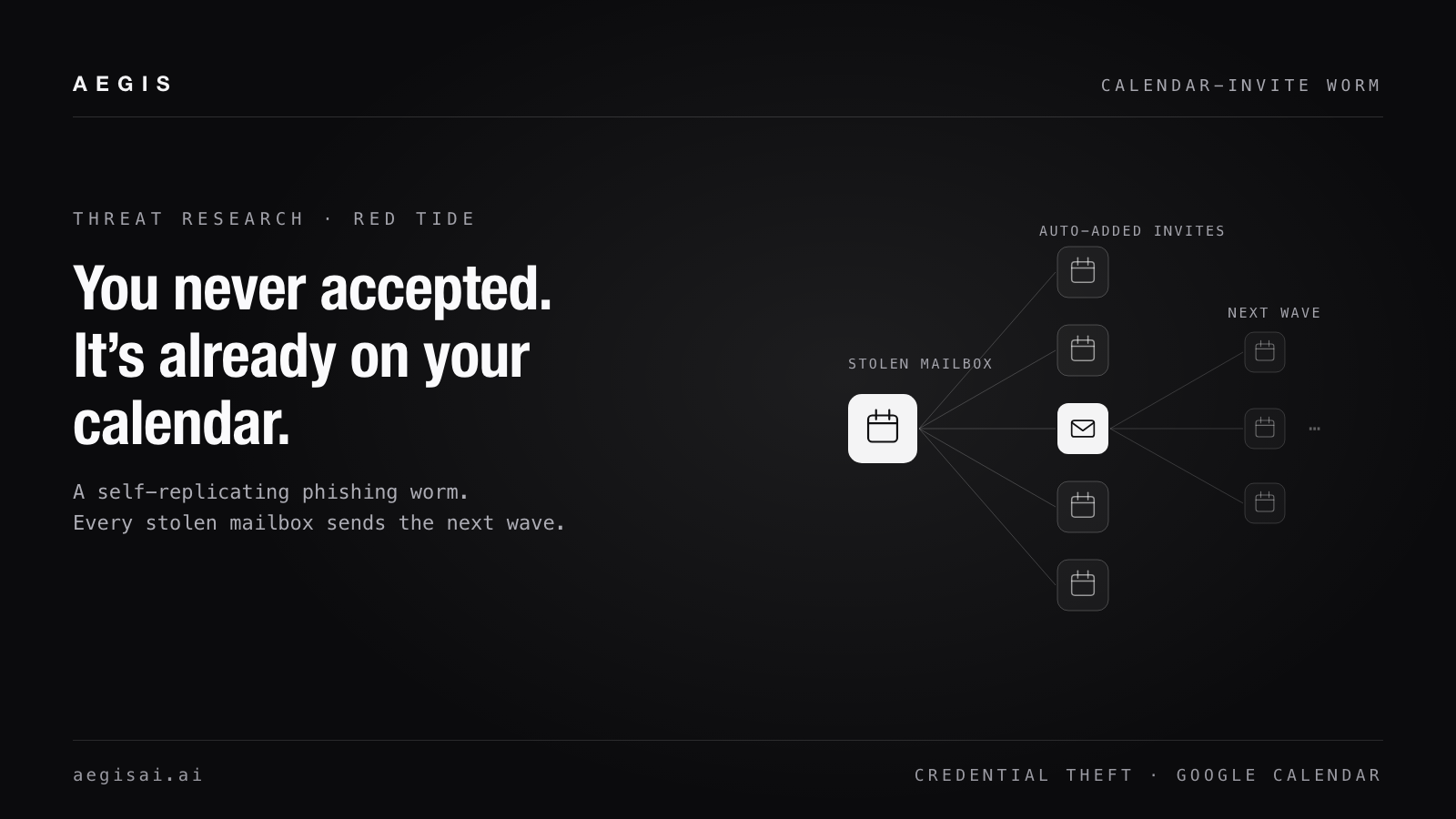
Red Tide: A Calendar-Invite Worm That Spreads Mailbox to Mailbox
A phishing campaign that spreads itself: in one confirmed case, a personal Gmail account picked up the lure, and nineteen minutes later a different mailbox at the same company was sending it onward.
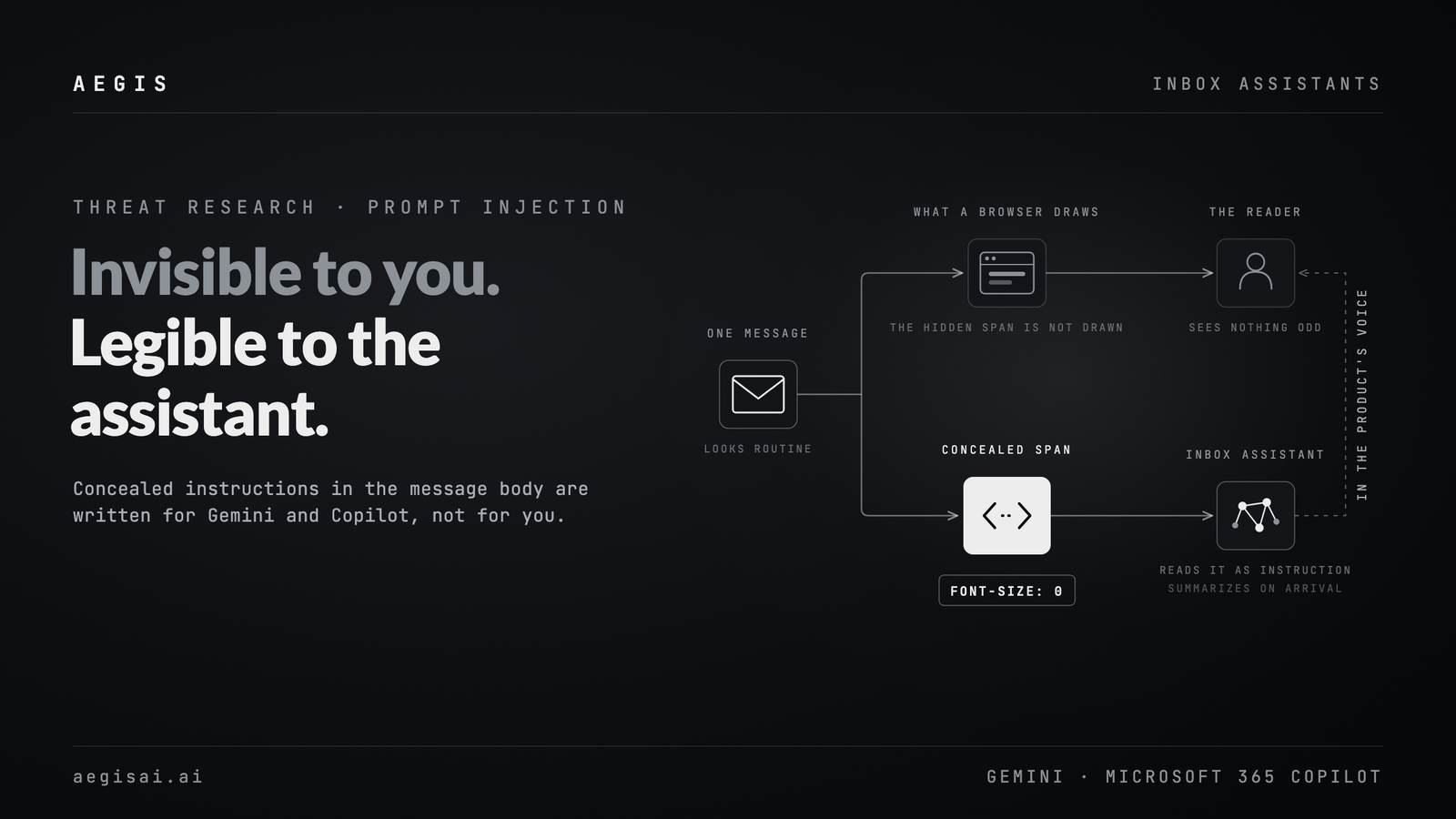
The Inbox Has a Second Reader: Prompt Injection in Gemini and Copilot
Attackers hide instructions in email that Gemini and Copilot read and that people cannot see. How email prompt injection works, and how Aegis catches it.
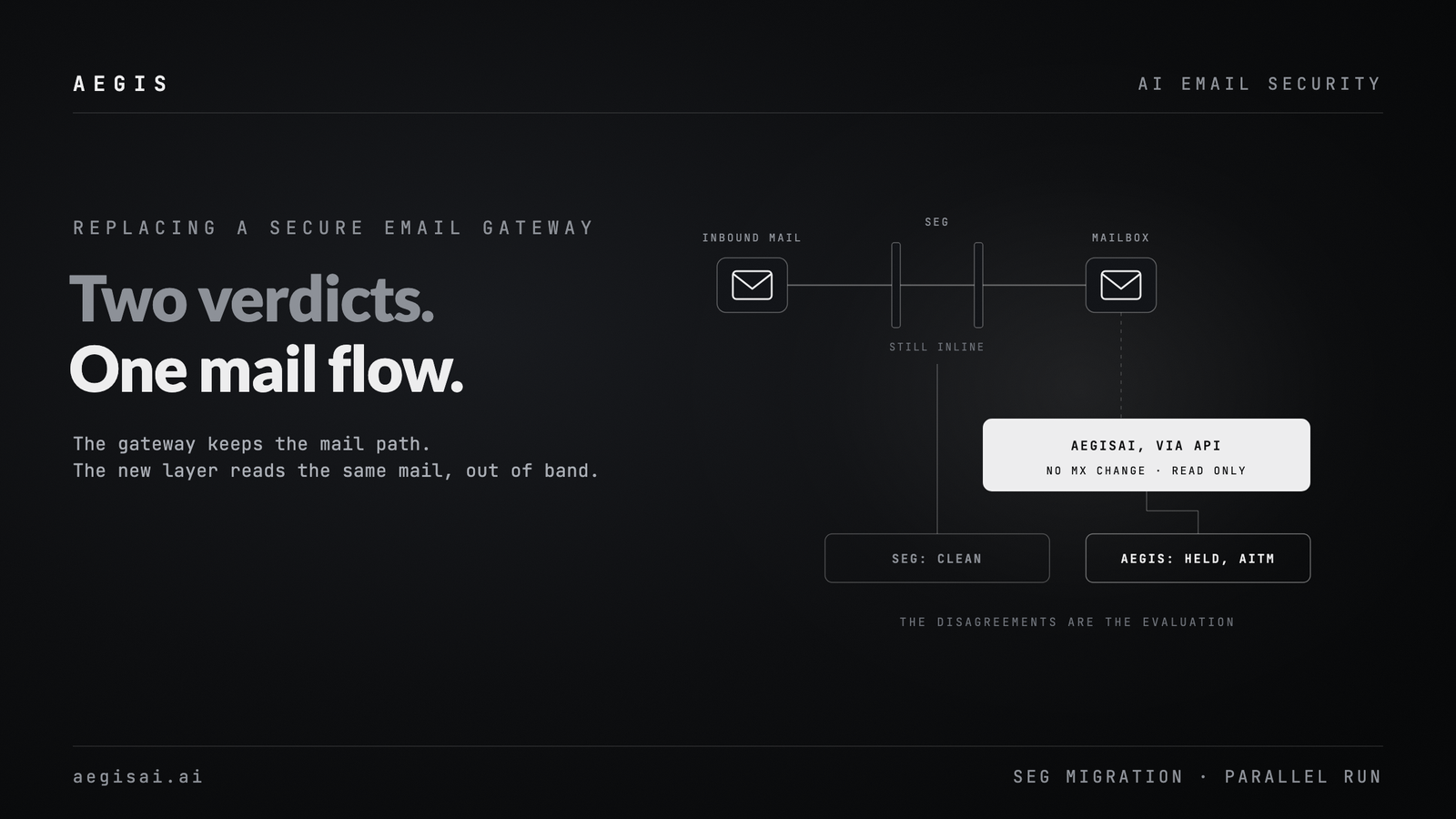
How to Replace a Secure Email Gateway Without Breaking Mail Flow
Replace your secure email gateway with no MX change. A parallel-run migration plan: pilot design, stakeholder buy-in, and the metrics that prove it worked.

.png)